
Checking into a hotel usually means settling in quickly, unpacking and getting ready to explore the destination. But spending a few minutes checking your room and securing your devices can make a trip more comfortable and private.
From hotel Wi-Fi to smart TVs and unfamiliar electronic devices, travellers now need to think about both physical and digital safety. Here are some simple precautions worth taking whenever you check into a new hotel or holiday rental.
1. Confirm the Hotel Wi-Fi Before Connecting
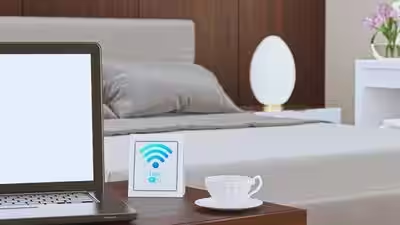
Free Wi-Fi is convenient, but travellers should avoid connecting to networks without first confirming that they belong to the property.
Ask reception for the exact network name and login procedure. Avoid carrying out sensitive banking or financial activities on unfamiliar networks, particularly if the connection appears unsecured.
Using mobile data or another trusted connection can be an alternative when handling particularly sensitive information.
2. Take a Quick Look Around the Room
A quick visual inspection can help you become familiar with the room and identify anything unusual.
Pay attention to unfamiliar electronic objects or devices placed in unexpected locations. Smoke detectors, alarm clocks, chargers, picture frames and other objects can potentially conceal small cameras, although incidents involving hidden cameras are uncommon.
If you notice something genuinely suspicious, avoid dismantling or touching it. Document what you see and contact hotel management or the appropriate authorities.
3. Be Careful With Smart Devices
Modern hotel rooms may contain smart TVs, speakers and other connected equipment.
Avoid entering sensitive passwords or personal information into unfamiliar devices. If you sign into a streaming service on a hotel television, remember to log out before leaving.
Whenever possible, remove your account information from the device before checking out.
4. Secure Your Phone and Laptop
Your devices contain far more personal information than you may realise. Before travelling, activate automatic screen locking and use strong, unique passwords.
It is also useful to enable device-finding features so that a lost phone or laptop can potentially be located, locked or remotely erased.
Keeping your operating system and security software updated is another simple precaution.
5. Avoid Leaving Sensitive Documents Exposed
Passports, identity documents, banking information and other personal files should not be left openly accessible in a hotel room.
If you need digital copies while travelling, store them using appropriate security measures rather than keeping unnecessary documents readily accessible on your device.
6. Be Cautious About Connected Devices
Some hotel devices communicate through the property’s network. If your phone or computer provides information about connected devices, you may notice equipment you do not recognise.
However, not every unfamiliar device is necessarily suspicious. Hotels can have numerous connected systems that guests cannot identify individually, so avoid jumping to conclusions based solely on a network list.
7. Do a Privacy Check Before You Leave
Before heading out for the day, make sure your phone and laptop are locked and important belongings are secured.
At checkout, sign out of hotel televisions and other devices, check drawers and charging areas for forgotten belongings, and make sure you have all important documents with you.
A Few Minutes Can Make a Difference
Hotel safety does not have to involve complicated measures. Confirming the Wi-Fi network, being aware of unfamiliar devices, protecting your accounts and securing your electronics are small steps that can reduce unnecessary risks.
A hotel room is your temporary home while travelling. Taking a few minutes to understand the space and protect your privacy can help you enjoy the rest of your trip with greater peace of mind.